
What are the best practices for custom additive manufacturing in scientific research?
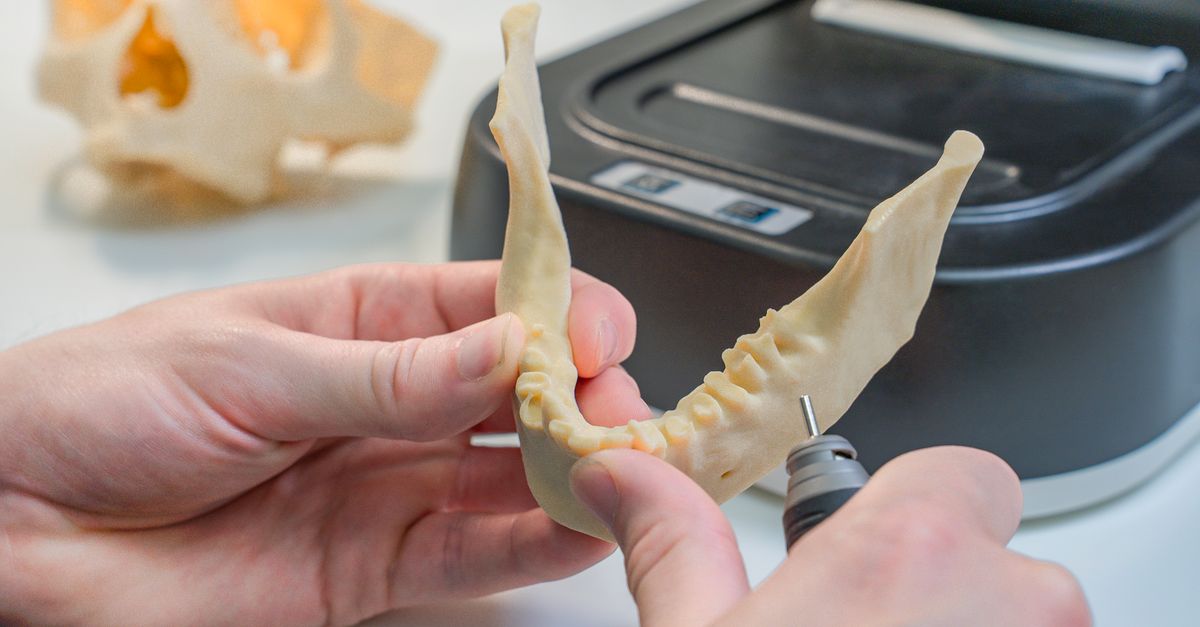
Custom additive manufacturing is now essential to laboratory workflows. Building bespoke microfluidic chips, test fixtures, or instrument housings quickly with durable parts accelerates discovery and cuts costs. This article outlines steps for material and printer selection, precision design, rapid prototyping, and cost‑benefit evaluation in scientific 3D printing.
Choosing the right material‑printer pair early guarantees durability and precision.1. Why custom additive manufacturing matters in scientific research
Scientific work requires unique, low‑volume components that traditional milling, injection molding, or CNC are often too costly or slow. 3D printing provides a fast, inexpensive option that allows iterative design without heavy tooling.
The biggest bottleneck is often the concept‑to‑prototype timeline; producing a durable piece in days instead of weeks can keep a project on schedule.
Common reasons labs adopt 3D printing
- Rapid iteration on complex geometries that are difficult to machine
- Low‑volume production without tooling costs
- Integration of custom features (e.g., embedded sensors, fluidic channels)
- Cost savings on material waste and lead time
- Ability to prototype functional parts for validation before committing to mass production
The integration of precision 3D printing into a research workflow not only speeds up the design cycle but also improves reproducibility by providing exact dimensional data that can be shared with collaborators.
Case studies that illustrate impact
- A biochemistry lab fabricated a custom reaction vessel with internal microchannels, reducing reagent consumption by 40 % and cutting experiment time from hours to minutes.
- An aerospace research group printed lightweight lattice test coupons in nylon‑12, enabling rapid fatigue testing of novel composite structures without the need for expensive tooling.
- A materials science team used a titanium alloy printer to produce a miniature heat exchanger, allowing them to validate thermal models before scaling up to industrial prototypes.
2. Selecting materials and printers for durable, precise prints
Material selection affects strength, thermal stability, chemical resistance, and surface finish—key for scientific parts. Common categories include thermoplastics (PLA, ABS, PETG), engineering plastics (Polycarbonate, Nylon, PEEK), resins, and metal alloys.
The decision matrix often boils down to three priorities: dimensional accuracy, mechanical durability, and compatibility with the intended environment. Aligning these priorities with the right printer technology—FDM, SLA/DLP, SLS, or metal powder bed fusion—ensures that you avoid costly re‑prints.
Checklist for material and printer selection
- Dimensional tolerance: Aim for ±0.02 mm; verify with calipers.
- Mechanical strength: Use PETG or Polycarbonate for load‑bearing parts; PEEK or metal for high temperature.
- Surface finish: SLA/DLP gives sub‑millimeter smoothness; FDM may need post‑processing.
- Chemical exposure: Select chemically resistant resins or thermoplastics like polypropylene.
- Print speed and cost: Balance build volume with material cost; larger printers can reduce per‑part time.
Deeper dive into material properties
- PLA: Biodegradable, easy to print, but limited heat resistance (~60 °C). Ideal for non-load-bearing prototypes and visual models.
- ABS: Higher impact strength than PLA, better temperature tolerance (~100 °C), but requires heated bed and venting due to fumes.
- PETG: Combines the ease of ABS with good chemical resistance and lower warping, making it suitable for fluidic components exposed to acids or bases.
- Nylon (PA): Excellent toughness and abrasion resistance; requires careful drying before printing to avoid stringing.
- PEEK: Ultra‑high temperature (~250 °C), high modulus, and chemical inertness. Requires industrial-grade printers capable of >400 °C extrusion.
- Tough Resin: Designed for impact applications; offers a balance between stiffness and ductility in SLA prints.
- Metals (Titanium, Stainless Steel): Provide the highest mechanical performance but demand powder bed fusion equipment and post‑processing such as sintering or hot isostatic pressing.
After choosing a material, calibrate the printer with a standard test model—e.g., benchmark cube—to confirm layer height consistency, extruder temperature stability, and bed adhesion. This eliminates warping or delamination that can compromise durability.
Printer calibration checklist
- Verify nozzle diameter with a micrometer; adjust extrusion multiplier accordingly.
- Run a “first‑layer” test to ensure proper bed leveling and adhesion (use tape, glue stick, or proprietary build plates).
- Print a temperature tower for thermoplastics to determine optimal printing temperature for each material batch.
- Measure a cured resin cube for shrinkage and tweak slicer settings if needed.
3. Design workflow for rapid prototyping
A structured design process starts with a clear functional spec—purpose, operating conditions, and integration points—to exploit additively manufactured speed.
Designers who iterate fast, validate early, and track changes reduce re‑prints. The workflow comprises concept, model, simulate, and test.
Key steps in a rapid prototyping pipeline
- Define functional requirements and constraints (size, load, environment).
- Create a parametric CAD model to adjust geometry easily.
- Run FEA on critical stress points to predict failure modes.
- Generate STL files with appropriate mesh resolution for the chosen printer.
- Print a test sample; measure dimensions and perform mechanical or functional tests.
- Iterate: adjust parameters based on test results, repeat until specifications met.
Parametric modeling tips
- Use Fusion 360’s “Parameters” panel to store key dimensions (e.g., wall thickness, channel diameter).
- Apply constraints that reflect real‑world tolerances; for instance, a microfluidic valve should have ±0.01 mm clearance to function correctly.
- Leverage “Feature Tree” navigation to quickly switch between design iterations without starting from scratch.
Simulation best practices
- For mechanical parts, apply realistic load cases (e.g., point loads for test fixtures, distributed pressure for fluidic chambers).
- In thermal simulations, consider ambient temperature variations and heat sources such as embedded electronics.
- Validate simulation results against small-scale physical tests before scaling up production.
Post‑processing workflow
- Support removal: carefully extract the part from the build plate to avoid cracks.
- Sanding or bead blasting can improve surface finish for optical components.
- Resin parts benefit from a post‑curing step in an UV chamber; check manufacturer guidelines for exposure times.
- Metal prints often require machining or polishing to achieve desired tolerances and surface roughness.
Scripting in CAD and batch STL rendering cuts lead time. Additionally, maintaining a version‑controlled repository of design files ensures traceability and facilitates collaboration across research teams.
4. Cost‑benefit and implementation tips
3D printing saves on waste, lead time, and custom production, but hidden costs—maintenance, post‑process labor, and material purchase—can cut into those savings. Tracking per‑part cost versus conventional methods justifies investing in high‑end printers or specialty materials.
Strategies to maximize ROI
- Use shared lab resources: pool printer usage across departments to amortize capital costs.
- Implement preventive maintenance schedules to minimize downtime and extend machine life.
- Opt for bulk material purchases where possible; negotiate with suppliers for custom filament blends.
- Train staff in post‑processing techniques (sanding, curing) to reduce outsourcing expenses.
- Leverage open‑source slicer settings tuned for your specific printer model and material to improve first‑layer adhesion and part strength.
Cost comparison methodology
- Calculate the Total Cost of Ownership (TCO): include depreciation, electricity, consumables, labor, and maintenance over a 3–5 year horizon.
- Compare TCO to the cost of equivalent parts produced by machining or injection molding for the same volume.
- If the TCO is lower or comparable, the investment is justified; if higher, consider reducing part complexity or exploring hybrid manufacturing approaches (e.g., 3D printing a core with CNC finishing).
Hybrid manufacturing considerations
- Use additive to create complex internal geometries and then apply subtractive processes for dimensional accuracy.
- Print a rough shape in FDM, followed by laser sintering or machining to achieve tighter tolerances.
- This balances speed with precision and can be useful for parts requiring intricate cavities and high surface finish.


