
How can I use affordable 3D printing for product development and marketing?
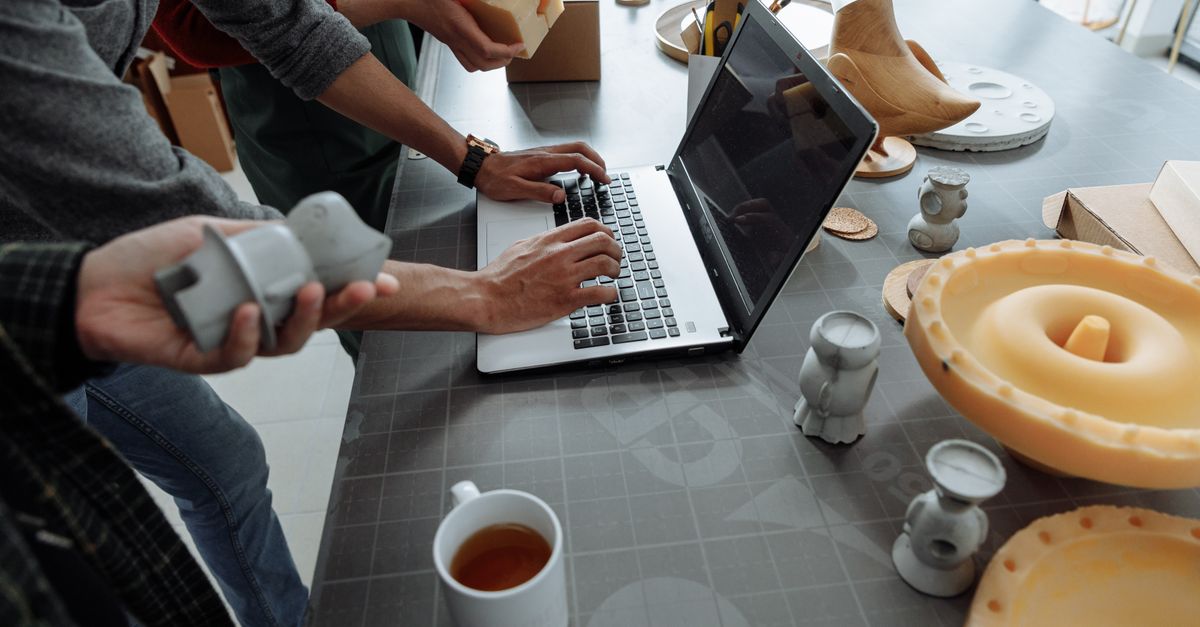
I’m often asked whether inexpensive 3D printers can actually help a startup move from idea to market‑ready product, or even create eye‑catching advertising props. The answer is yes—if you understand the basics, pick the right hardware, and know when to outsource expertise.
1. Understanding Affordable 3D Printing Basics
Affordable 3D printing usually refers to consumer‑grade FDM (Fused Deposition Modeling) machines that cost between $200–$800. They’re fast enough for quick prototypes, and the learning curve is manageable. The key parameters are layer height, print speed, and build volume.
Core Features to Evaluate
- Build plate size (e.g., 220 × 220 mm) – determines how large a single part can be or if you’ll need to split designs.
- Maximum nozzle temperature – affects which filaments (PLA, PETG, ABS, etc.) the printer can handle.
- Print resolution (0.05–0.3 mm layer height) – balances detail against time; finer layers mean smoother finishes but longer print times.
- Software support (Cura, PrusaSlicer) – open‑source slicers are free and highly configurable for different printers.
- Community and firmware updates – a strong user base means quick troubleshooting and frequent feature additions.
In my experience, a machine with a heated bed, auto‑leveling capability, and solid community support saves countless hours troubleshooting. It also gives you room to experiment without the risk of costly failures.
2. Choosing the Right Printer for Product Development
When your goal is to iterate product designs rapidly, you need a printer that balances speed with accuracy. I’ve found that models like the Prusa Mini or Anycubic Vyper hit this sweet spot because they combine robust hardware with user‑friendly firmware.
Comparison Checklist
- Print speed (mm³/s) vs. layer quality – a printer that can reach 60 mm³/s while maintaining consistent extrusion is ideal for time‑sensitive projects.
- Ease of filament change – a quick‑release nozzle and clear filament path reduce downtime between prints.
- Warranty and support channels – a two‑year warranty plus responsive online forums can prevent costly downtime.
- Availability of upgrade kits (e.g., auto‑leveling, dual extruder) – allows future scaling without replacing the whole unit.
- User reviews on long‑term reliability – check for recurring issues such as stepper motor noise or hotend clogging.
The bottom line: choose a printer that your team can maintain without constant tech support, and that offers room to grow as your product evolves.
3. Materials That Balance Cost and Performance
Avoid the lure of exotic filaments for early prototypes; start with PLA or PETG. They’re inexpensive, easy to print, and adequate for visual proofing. When you move to functional testing, switch to ABS or nylon.
Material Selection Guide
- PLA – low cost, biodegradable, limited heat resistance; great for aesthetic models that won’t be exposed to high temperatures.
- PETG – flexible, stronger than PLA, good for mechanical parts; it also resists moisture better, which is useful in humid environments.
- ABS – tougher, but requires a heated bed and ventilation; ideal for parts that need impact resistance.
- Nylon – excellent wear resistance, ideal for moving components such as gears or bearings; it can be blended with other polymers to tweak properties.
- TPU – silicone‑like flexibility for custom grips or seals; requires careful retraction settings to avoid stringing.
In my experience, keeping a small stock of each material reduces rework time during testing phases. It also allows you to compare performance side‑by‑side without committing to large filament spools.
4. Workflow Integration: From CAD to Prototype
The most common bottleneck is translating design files into printable models. I recommend using open‑source slicers that can auto‑detect supports and optimize infill patterns for your specific printer.
Step‑by‑Step Workflow
- Create or import CAD model (STL/OBJ) – Use a lightweight tool like Fusion 360’s free student license or Blender for quick geometry changes.
- Check mesh integrity with Netfabb or Meshmixer – Repair any holes or non‑manifold edges that could cause print failures.
- Select appropriate slicing settings (layer height, support density) – For a rapid prototype, 0.2 mm layers and 20% infill provide a good balance of speed and strength.
- Preview the print path to spot errors – Verify that supports are placed only where necessary and that there’s no over‑extrusion.
- Export G‑code and transfer via SD card or USB – Keep a backup copy of the G‑code in case you need to tweak settings later.
The key takeaway is that a disciplined workflow cuts down on failed prints by up to 70 %. When you document each step, new team members can replicate your success without guessing.
5. Creative 3D Printing in Advertising Campaigns
Beyond product prototypes, 3D printing can produce striking promotional items: custom bottle caps, branded stand‑ups, or even large‑scale event props. The cost advantage comes from batch size flexibility—you can print a few high‑quality pieces without the overhead of mold tooling.
Advertising Use Cases
- Miniature product mock‑ups for trade shows – 3D printed scale models allow visitors to touch and examine details before the final product arrives.
- Custom signage with integrated branding – Lightweight, durable signs can be printed on site, reducing shipping costs.
- Branded giveaways (keychains, phone stands) – Print a small batch of unique items that reflect your brand personality.
- Interactive installations using modular parts – Create pop‑up displays where each component can be swapped or reconfigured on demand.
- Rapid prototyping of packaging concepts – Test different shapes, openings, and branding placements without investing in expensive tooling.
In my experience, a well‑designed 3D printed prop can double the engagement rate at an event. By printing on demand, you also gain flexibility to adapt to trending themes or last‑minute design changes.
6. Cost Breakdown: DIY vs Outsourced Consultation
Owning a printer is cheap, but you still pay for filament, maintenance, and time. A seasoned consultant can optimize designs for printability, reducing material waste by 20‑30 % and speeding up iteration cycles.
Typical Cost Comparison (per prototype)
- DIY – $5–$10 filament + 2 hrs setup = ~$15 total; includes electricity (~$0.50) and a small maintenance budget for spare parts.
- Consultant – $200 hourly, 3 hrs for design review = $600 total; gains include faster turnaround, professional polish, and reduced error rate.
- Outsourced print service – $50 per part (includes material and labor); ideal when you need a high‑quality finish or large batch sizes without owning equipment.
The choice hinges on volume and expertise. For high‑volume production runs, outsourcing may be cheaper overall because the service handles post‑processing, quality control, and shipping logistics.
7. Common Pitfalls and How to Avoid Them
Even with the best printer, mistakes happen: warping, layer delamination, or misaligned supports. The most frequent cause is ignoring bed adhesion settings.
Error Prevention Checklist
- Use a heated bed with proper surface (PEI sheet, BuildTak) – ensures the first layer bonds securely and reduces warping.
- Apply adhesive (glue stick, hairspray) for first layer – especially important for ABS or PETG when printing in cooler rooms.
- Calibrate the Z‑offset before each print – a slight misalignment can cause poor adhesion or nozzle scratching.
- Keep ambient temperature stable to prevent drafts – use an enclosure if possible; sudden cold spots are a common warping culprit.
- Run a calibration cube to verify dimensions – this quick test catches scaling errors before you print complex parts.
- Use brim or raft for large prints – adds extra adhesion area and can prevent corners from lifting during the first few layers.
In my experience, spending 10 minutes on bed prep saves hours of reprinting. A well‑prepared build plate is the foundation of a successful print session.
8. Scaling from Prototype to Production
Once the prototype is validated, you can shift to industrial printers or injection moulding. The transition requires redesigning for manufacturability (e.g., adding draft angles, reducing overhangs). A 3D printing consultant can bridge this gap by providing design guidelines.
Scale‑Up Checklist
- Check part thickness and wall strength for mass production – thin walls that look fine in a prototype may buckle under real-world loads.
- Incorporate snap fits or assembly features early on – reduces the number of parts needed, lowering cost and assembly time.
- Validate with a low‑volume injection mould run – a single-run test can reveal hidden issues such as sink marks or warping that weren’t obvious in 3D prints.
- Audit cost per unit against projected sales price – ensure the margin remains healthy once tooling and labor costs are factored in.
- Set up quality control parameters (e.g., dimensional tolerances) – use a CMM or laser scanner to verify that each part meets specifications consistently.
The goal is to maintain design intent while reducing manufacturing costs by 25–35 %. By iterating on the 3D printed version first, you avoid costly redesigns once the mould is set.
Key takeaway: Affordable 3D printing accelerates product development and marketing when you pair the right hardware, materials, and workflow, and you bring in a consultant only for complex optimization or scale‑up tasks. What’s one challenge you’ve faced when integrating 3D printing into your product launch cycle?


